How to Make a Karaoke Track from Your Own Song: Instrumental and Synced Lyrics
You have a song and its lyrics, and you want to sing along with the words moving on screen. The Karaoke Maker takes your own audio file and your own lyrics and gives you an instrumental track and a timed lyrics file. It runs in your browser and nothing is uploaded.
What You Get
- Instrumental MP3: The vocals are removed with an AI model that runs on your device. The result can be imperfect: some traces of the voice may remain.
- Timed lyrics: Download LRC (line by line or word by word) and SRT files that work in most karaoke and subtitle players.
- Karaoke video: If your browser supports video recording, the page records a WebM video in real time while the song plays. Keep the page open and the screen on until it finishes.
Step by Step
- 1. Choose the song and paste the lyrics. Put one line per row and leave an empty row between sections such as verse and chorus.
- 2. Press Start. On a phone this takes several minutes. The first time it also downloads a 241 MB timing model, which is then saved on your device.
- 3. Play and fix. When a line is early or late, tap the big green button at the exact moment the singer starts that line. The lines after it are re-aligned from there.
- 4. Download. Get the instrumental MP3 and the LRC or SRT file.
Smart Fix Buttons
- Line starts now: One tap sets the line start and re-times the rest of the section.
- Snap to vocal: Moves a line to the nearest point where the singing begins.
- Section shift and repeats: Move a whole section, or copy the timing of one chorus to the same chorus later in the song.
- Check list: Lines that look suspicious are marked so you can jump to them.
How to adjust a line to the voice
If a line starts too early or too late, fix it with these steps. Results can be imperfect, and every line is editable. The pictures are the real tool, the numbers match the steps.
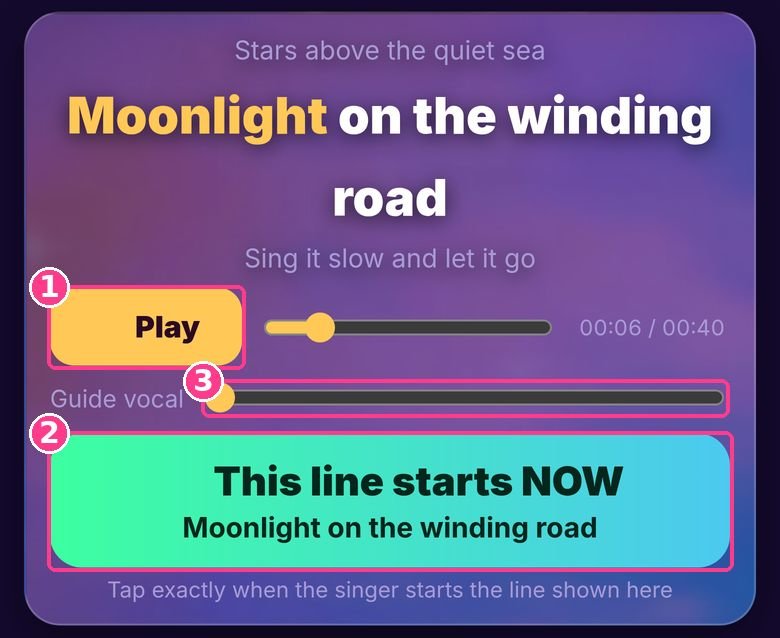
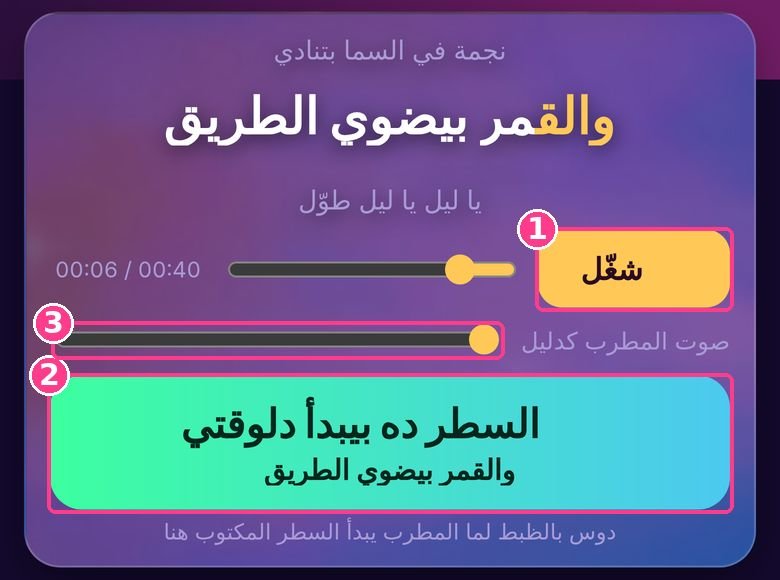
1. Press Play (1). Move the Guide vocal slider (3) up a little so you hear the real singer over the music.
2. When the singer starts the line shown on the green button, tap the big green button (2) at that exact moment. The line now starts there.
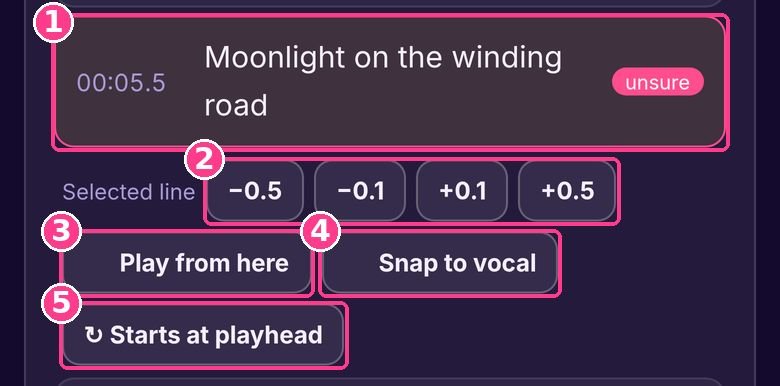
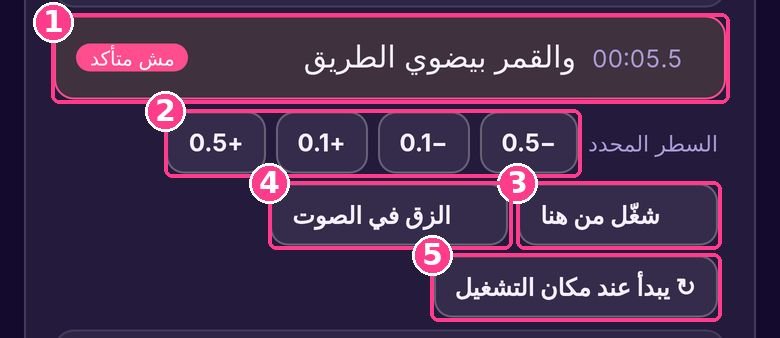
3. To fix one line: tap it in the list (1). Then move it with the small buttons (2): -0.5 and -0.1 move it earlier, +0.1 and +0.5 move it later, in seconds. The song replays from just before the line.
4. Check it with Play from here (3). Snap to vocal (4) jumps the line to the singer's first sound. Or play to the exact spot and press Starts at playhead (5).
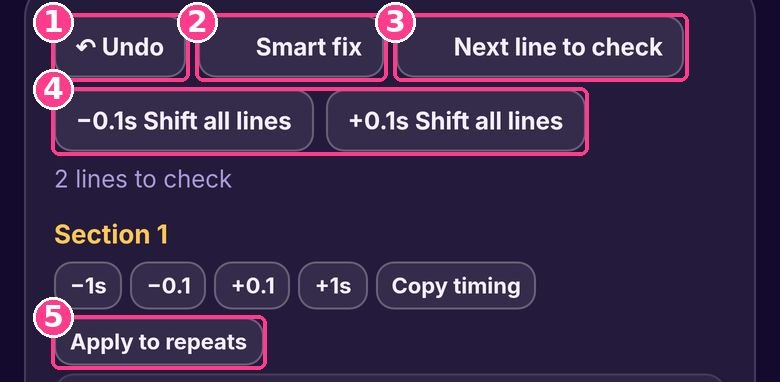
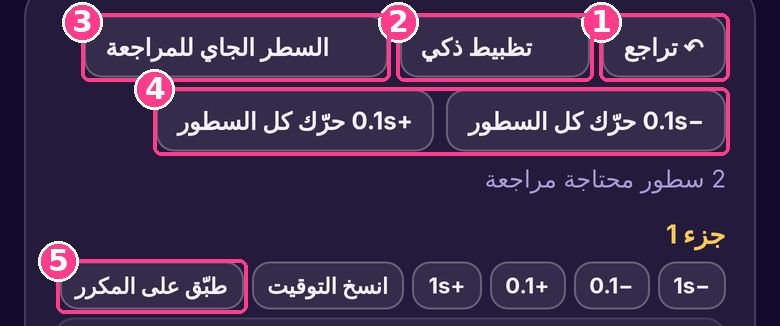
5. Next line to check (3) jumps to lines marked as unsure. Smart fix (2) corrects the easy ones. Shift all lines (4) moves the whole song by 0.1 second. Made a mistake? Undo (1).
6. A chorus that repeats: fix the first one, then press Apply to repeats (5) to copy its timing to the repeated parts.
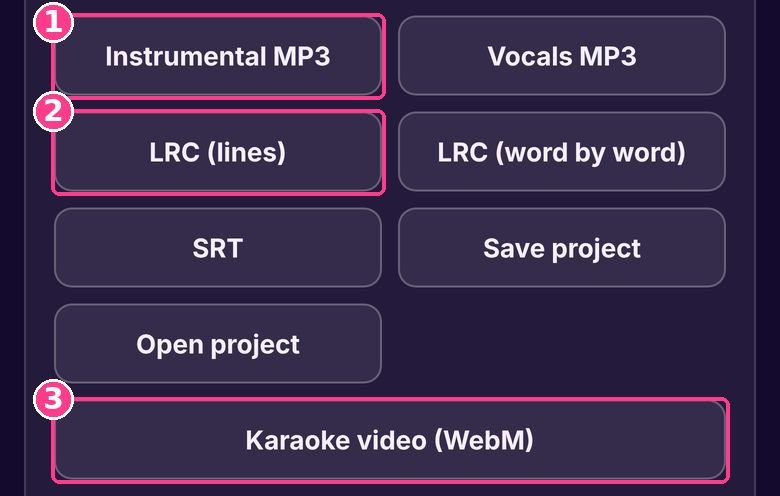
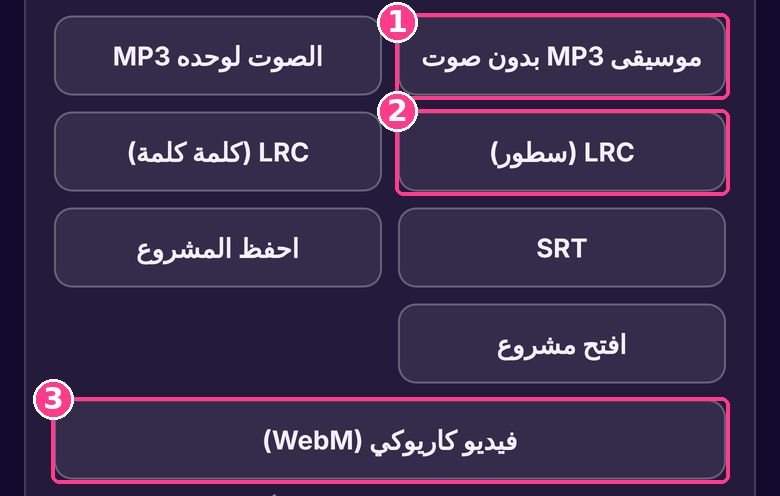
7. When it sounds right, download the instrumental MP3 (1), the timed lyrics LRC (2) or the karaoke video (3). Your work stays saved on this device.
Honest Word About Accuracy
Automatic timing can be imperfect, especially on busy mixes, ad-libs and long held notes. That is why every line is editable and the page marks lines it is unsure about. Use your ears and fix what sounds off.
Your Song, Your Lyrics
Use songs and lyrics you have the right to use. Your files stay on your device and are never uploaded or shared.
← Back to Home